


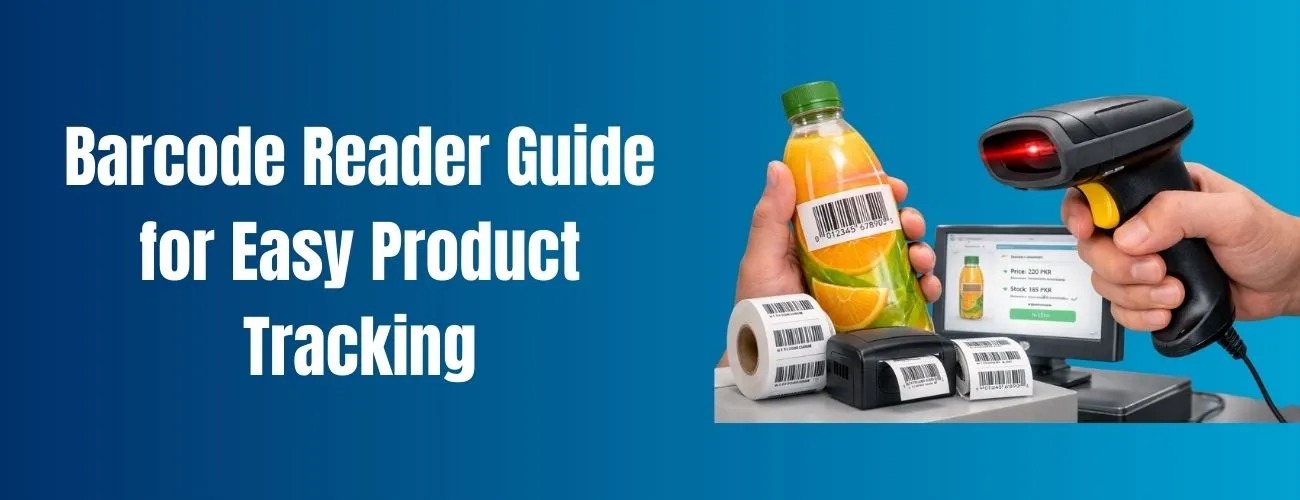
Everything You Need to Know About Barcode Readers
Choosing the right barcode reader may look simple at first. But once you start using it in real life, things change. Shops, warehouses, medical stores, and even small businesses rely on Let us teach you the importance of a barcode reader as well as its functionality and structure.
We will touch on the basics of barcode fonts, labels, and software. By the time you finish, you will be an expert, even if it is your first time in the industry.
What is a barcode reader?
A barcode reader is a scanning device used to scan the printed barcodes of various retail items. The device scans the barcode’s lines and its spaces, and translates it to a digital format. The digital information indicates the item stored in the system with its name, price, or inventory number and displays it on a computer or point of sale system.
In Pakistan, barcode scanners are used in all retail, pharmacy, warehouse, and logistics, and transport businesses. They increase efficiency and minimize errors during billing and inventory tasks.
Why are barcode scanners valuable?
Barcode scanners are not just another piece of technology; they allow businesses to operate with improved efficiency.
- They decrease the amount of errors in manual data entry
- They increase the speed of service in checkout and billing
- They simplify inventory control
- They elevate the quality of customer service
From little retail to massive distribution warehouses, barcode scanners improve the efficiency of everyday business processes.
How Barcode Readers Work (Simple Explanation)
When a barcode reader scans a barcode, it detects the black and white lines. Each pattern represents numbers or letters. The reader sends this information to barcode software, which then shows readable data on the screen. This process happens in seconds and feels effortless to the user.
Types of Barcode Readers
Different businesses need different barcode readers. Here are the most common types.
1. Handheld Barcode Reader
This is the most popular type. It is easy to use and affordable. Small shops and supermarkets in Pakistan often use handheld barcode readers for billing.
2. Wireless Barcode Reader
Wireless readers connect using Bluetooth or Wi-Fi. They are ideal for warehouses where movement is required. Staff can scan products without staying near the computer.
3. Fixed Mount Barcode Reader
These are installed at counters or conveyor belts. They are mostly used in large retail stores and production lines.
Understanding UPC Barcode
Many people ask what a UPC barcode is. A UPC barcode is a standard barcode used mainly for retail products. It contains numbers that identify the manufacturer and product.
What Does UPC Stand For?
UPC stands for Universal Product Code. It allows a business to monitor a product all over the world through one system. You find UPC barcodes on grocery items, cosmetics, and on every packaged product.
What Are Barcode Fonts?
Barcode fonts are designed to create barcodes. Instead of using images, these fonts translate numbers into a scannable barcode design.
Why Barcode Fonts Matter
Barcode Fonts allow businesses to easily print their own barcodes. Custom barcode labels for internal product tracking can all be done through barcode fonts. The most popular barcode fonts are basic, legible, and easy for scanners to read.
Barcode Maker and Barcode Software
A barcode maker is any tool that has the capacity to create a barcode. It can be used with barcode software to create and track the information associated with the barcode.
What Barcode Software Does
Barcode software stores product details, links them with barcodes, and helps in scanning and reporting. Good software improves accuracy and business control. Most barcode readers work smoothly when paired with reliable barcode software.
Barcode Labels Explained
Barcode labels are stickers with barcodes that you attach to products, boxes, and shelves for tracking in retail, warehouses, and medical centers.
In business, barcodes help identify products in a fast and accurate fashion. Quality barcode labels help ensure good scanning, fewer reading errors, and lasting durability without fading.
Choosing a Barcode Reader in Pakistan
When choosing a barcode reader, considering the business needs in Pakistan is essential. This includes the size of the store, the number of items, and the amount of scanning done in a day. It is also important to decide whether the store will require a wired or unwired barcode reader.
You should also check software compatibility and choose a barcode reader that easily integrates with your existing system. Also, it should be a good, durable device that will last within the set budget.
Avoid These Common Mistakes
Small mistakes tend to be a common theme for newcomers when it comes to systems involving barcodes.
- Cheap readers that won’t scan well
- No consideration of software compatibility
- Low-quality labels
- Insufficient training for staff
You can avoid these common mistakes to improve your system and processes.
Expert Tips for Better Barcode Scanning
For optimal results from your barcode reader, make sure you are using well-made labels with clean, clearly printed barcodes. Use scanner-approved barcode fonts to avoid reading errors. For optimal performance, make sure your scanner is clean and regularly updated.
Especially in high-traffic areas, it’s best to periodically test the barcode reader before using it fully. These practices help ensure you can count on good performance from the scanner in the future.
Final Thoughts
For any company, having a barcode reader is a good investment. It provides increased speed, accuracy, and control. With the right barcodes, software, fonts, and labels, it is the best solution you can have.
Whether you run a small shop or a growing warehouse in Pakistan, choosing the right barcode reader makes daily work easier and more professional.
FAQ’s
A barcode reader app or device scans barcodes and displays product or other data, encoded in the barcode, onto a screen.
Google uses Google Lens to scan barcodes. Just open the camera, point it at the barcode, and the system finds the product or code.
Yes, you can scan barcodes without charging, by using apps such as Google Lens or any of the numerous free barcode scanning apps available in the app store.
You can turn your smartphone into a barcode scanner by using the camera alongside a barcode scanner app or Google Lens.


